Turn any photo into a Paint By Numbers template
Use CustomPBN Generator as a free photo to paint by number converter and DIY canvas maker. Upload a picture to generate a Paint By Numbers preview, a numbered outline, and a color chart for custom kits, classrooms, craft studios, and small batch production.
Create Your Custom Paint By Numbers Template Online
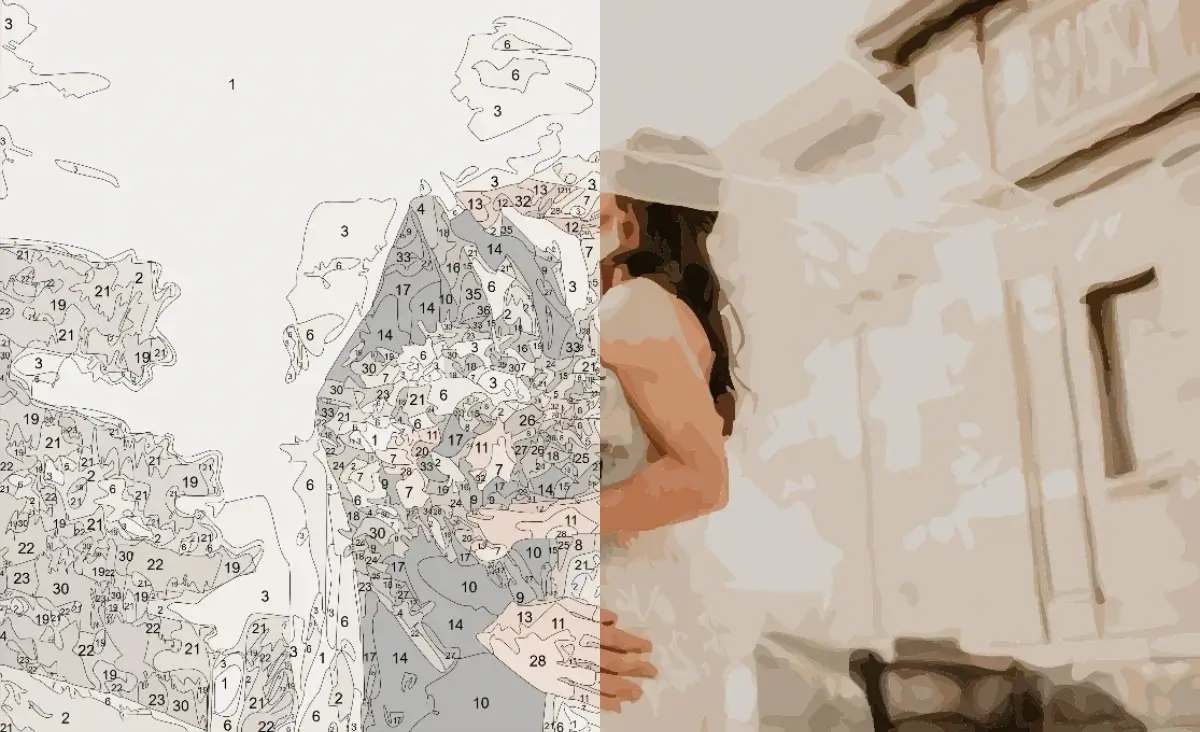
Choose an image, pick the number of colors, and turn your picture into a paint by number template online. The converter creates two preview images and one color chart, each with a direct download button.
Photo to Paint By Number Maker Setup
Printable Canvas and Color Chart
How Our Free Image to Paint By Number Converter Works
CustomPBN Generator breaks your image into color regions, numbered outlines, and color usage data so you can turn a picture into a printable Paint By Numbers kit faster.
Upload Your Picture
Use a clear photo with good lighting and a visible subject.
Choose Color Count
Select a preset or enter a custom 2-96 color palette depending on the complexity you want.
Convert to Numbered Canvas
Create color regions, outlines, numbers, and final previews automatically.
Download JPG or PDF
Save the template previews and color chart for printing or kit production.
Paint By Number Maker Features for Printable DIY Kits
Keep your photo-to-canvas production flow lightweight: upload, convert, review, and download without installing desktop software.
Photo-to-canvas conversion
Convert photos into recognizable color regions for tracing, filling, and print preparation.
Numbered outline maker
Show color numbers directly on the output so painters can follow the chart with confidence.
Printable JPG and PDF downloads
All three generated result images include download buttons, so users do not need to right-click and save.
Paint By Numbers Converter FAQ
For best results with a photo to paint by number maker, use a sharp image with balanced lighting and a subject that is not buried in a very busy background.
Is CustomPBN Generator safe? Do you upload or store my photos?
Yes. CustomPBN Generator processes your photo locally in your browser, so your image is not uploaded, transmitted, stored, or reviewed on our servers. Your photo data stays on your own device and is cleared from browser memory when you refresh or close the page.
How do I turn a photo into a paint by number canvas?
Upload a clear picture, choose a color count, and generate your custom paint by numbers template. You can print the numbered outline on paper or canvas, then use the color chart to match acrylic, watercolor, or craft paints.
What files will I receive from the paint by number converter?
You receive a digital paint-by-numbers kit with a full-color preview, a numbered line art canvas, and a color palette chart. Generated results can be downloaded as JPG images or saved as a printable PDF.
Can I choose custom colors and detail level?
Yes. You can use preset color counts or enter a custom color count from 2 to 96 colors. The advanced detail setting lets you control how fine the numbered regions are, with higher detail creating a more realistic but more challenging painting.